Getting started
Overview
latency is a non-custodial DeFi trading terminal — QuickBuy, copy trading, AFK sniping, and a live portfolio, all running on a cloud engine that keeps working after you close the tab.
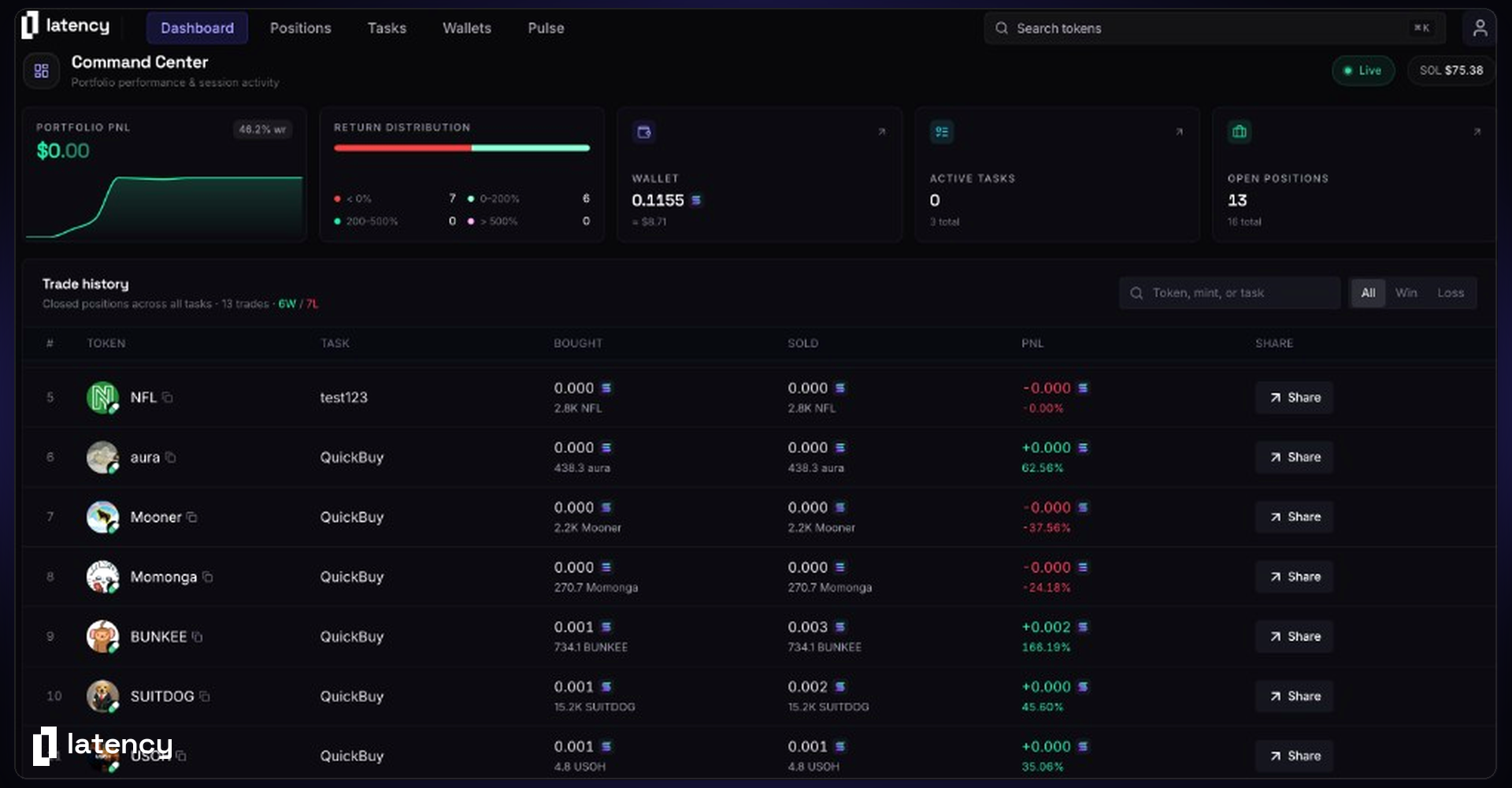
The terminal
latency is the desk you trade from. Search a token, fire a preset, watch new pairs land, manage wallets, and leave automation running — without hopping between a chat bot, a chart, and a wallet extension.
The interface is built for execution. Command palette for search. One-click buys with size and take-profit already attached. Live Pulse for launches. Floating task and position panels you can pin while you work. Underneath, a cloud engine keeps copy-trade and AFK tasks alive 24/7, even when the browser is gone.
A faster trading workflow
From the dashboard you get portfolio PnL, win rate, and trade history across every wallet. From Pulse you see creations and migrations as they hit the chain. From search you buy in one click. From Tasks you stand up copy-trade and AFK rules that use the same execution path as a manual fill.
That path matters. Snipes and copies compete for same-block inclusion on creations, migrations, and deploys — not a slower “click buy on a terminal” round trip.
What you can do
QuickBuy
Open search with ⌘K, paste a mint or type a ticker, and buy with your preset wallet, size, slippage, and fees. Same preset works from Pulse cards.
Pulse
A live feed of new pairs and migrations. Filter by launchpad, pause the stream while you read, and QuickBuy straight from the card.
Copy trade
Mirror wallets in real time with min/max size, platform filters, unique-purchase guards, and optional sell-with-trader. Anti-bundle protection on every fill.
AFK
Snipe launches while you are offline. On the AFK tab, pick launchpads and open Social, Volume, CEX, Dev, and Holders filters — then let the cloud engine take the fill.
Cloud tasks
Start a task and it keeps watching after you close the tab. Group tasks, run test mode, inspect logs, and start or stop without deleting the config.
Positions
The Positions page lists every fill with remaining size, bought and sold, live PnL, and one-click percentage sells. Share a PnL card when a bag is closed.
Wallets
Generate, import, label, deposit, withdraw, wrap/unwrap SOL, and export keys. Non-custodial — you hold the keys, encrypted, until you export or delete them.
Advanced exits
Take-profit ladders, profit timeouts, trailing stops, stop loss, migration sells, sell-on-dev-sell, and inactivity timeouts. Set once per task.
Dashboard
Total PnL, performance chart, win rate, trade count, and a blotter of every fill from QuickBuy and tasks.
Referrals
Claim a handle, share latency.fun/@you, and track referred volume and fees from the profile menu.
Fees
A small per-trade fee, plus the priority fee and tip you choose. No subscription. Caps and dynamic tips are configured per task or QuickBuy preset.
The pages that follow go surface by surface. If you only read one thing: connect a wallet, fund a trading key, set QuickBuy, then create a task — that is the whole loop.
How it works
Sign in with Phantom or Ledger. That session is yours until you log out. Trading wallets are separate from the login wallet: generate new ones inside latency or import keys you already have. Assign those wallets to QuickBuy and to tasks.
Manual trades and automation share the same wallets and the same routing. A copy-trade task and a Pulse QuickBuy are not two products — they are two ways to hit the same engine. Stop a task when you want it quiet; it does not delete the setup.
latency is non-custodial. Private keys are encrypted, exportable, and deletable by you. latency never holds your funds.
Supported platforms
latency currently trades on Solana — Pump.fun (including USDC pairs), Raydium, BonkFun, Heaven, Bags, and Meteora DBC — with more chains on the way.